

Secure Remote SCADA Access
on Any Device.
Extend existing Adroit Operator graphics to authorised browser users with full functionality, encrypted access and no inbound firewall ports.
Your Adroit Operator Wherever It Is Needed
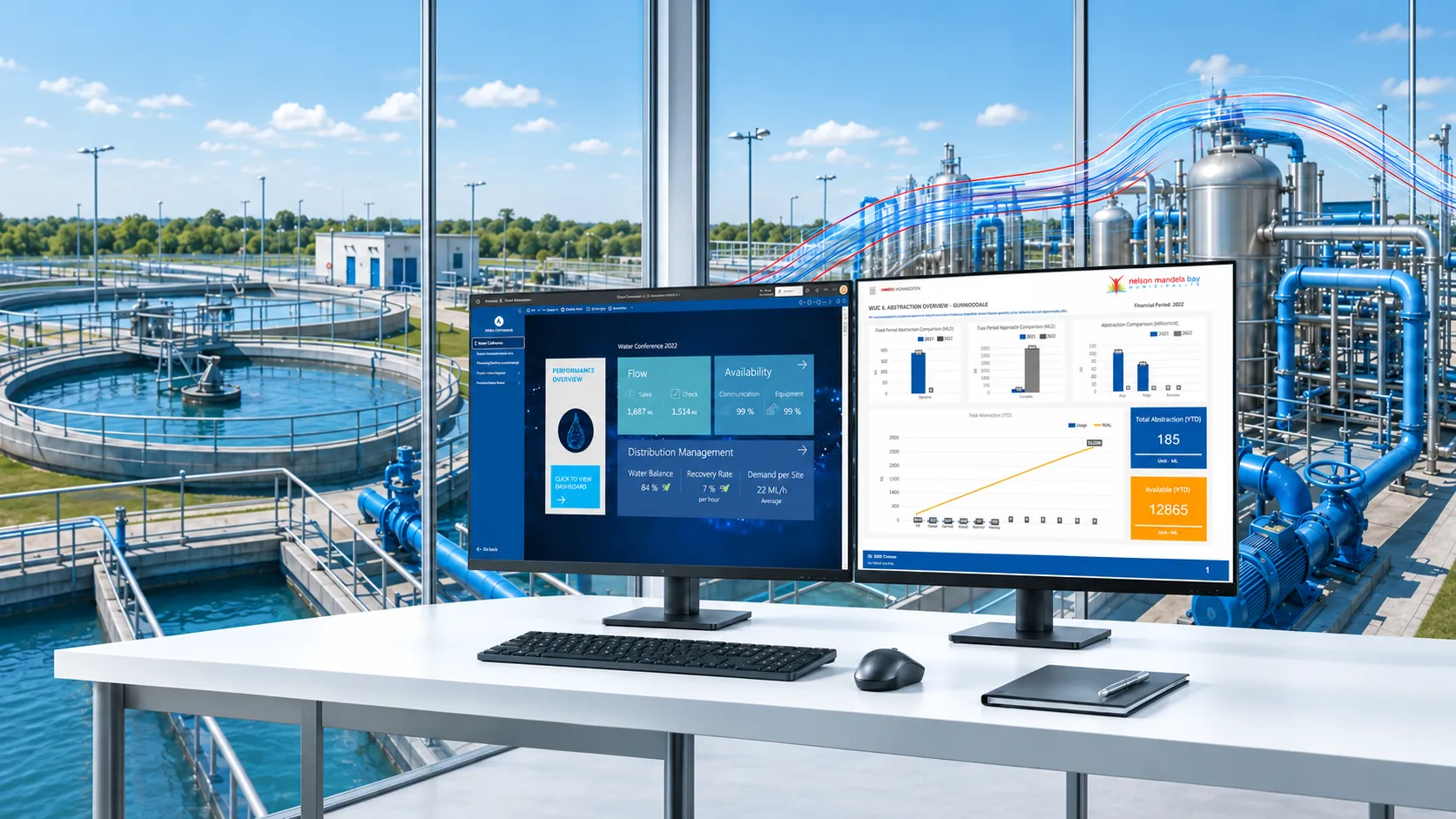
Secure Mobile Gateway is an additional Adroit Software component that brings existing SmartUI Operator graphics to authorised users through an HTML5 browser. Teams can monitor and control operations from compatible Apple, Android, Linux and Windows devices without installing a full local Operator on every remote device.
The connection starts from inside the site network and presents only the Adroit Operator, not the server desktop or operating system. Existing graphics can be reused, while selected screens can be simplified for smaller touch devices. Encrypted communication and optional two-factor authentication help Secure Mobile Gateway support a layered OT security strategy.
Want to Dive Deeper
Secure Mobile Gateway Web Browser Support for Adroit and MAPS
Live Webinar Adroit Mobility Offering
What Secure Mobile Gateway Does
Features and Benefits
Open existing SmartUI graphics and use the full Adroit Operator through a compatible HTML5 browser on desktop, tablet or mobile devices.
Benefit: Gives authorised users immediate access without a full local Operator installation on every device.
Secure Mobile Gateway starts the connection from inside the site network, with no inbound firewall rules or direct external access to the Adroit host.
Benefit: Reduces exposure and makes secure remote access easier to introduce.
Remote users see the Adroit Operator application without access to the server desktop or operating system.
Benefit: Keeps access focused on the operational interface users are authorised to use.
Protect the gateway and browser sessions with encrypted communication, trusted service connections and optional two-factor authentication.
Benefit: Adds practical protection for remote access to operational information and controls.
Publish existing graphics without rebuilding the full project. Create simplified mobile views only where smaller controls or less screen detail will improve usability.
Benefit: Protects previous engineering work and gets remote users connected sooner.
Use compatible HTML5 browsers across Apple, Android, Linux and Windows devices, with no initial download required on the viewing device.
Benefit: Gives operations teams more choice in how and where they connect.
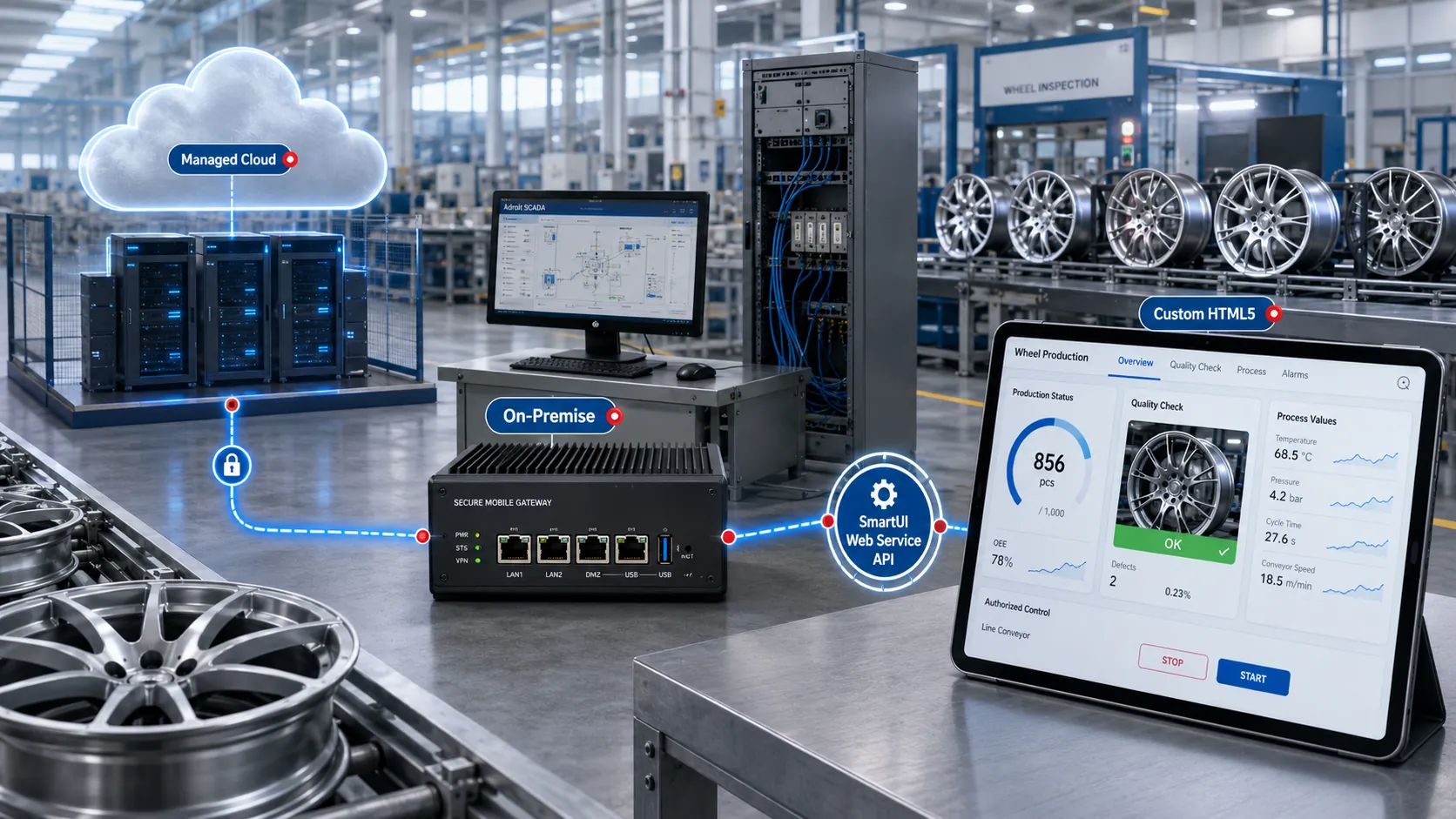
Choose a managed cloud service for a faster rollout or an on-premise deployment when the organisation needs greater control over infrastructure and supported extensions.
Benefit: Matches the deployment approach to the site's security, support and ownership requirements.
Scale the Operator to the available browser area while maintaining the intended screen proportions.
Benefit: Delivers a familiar, consistent view across different screen sizes.
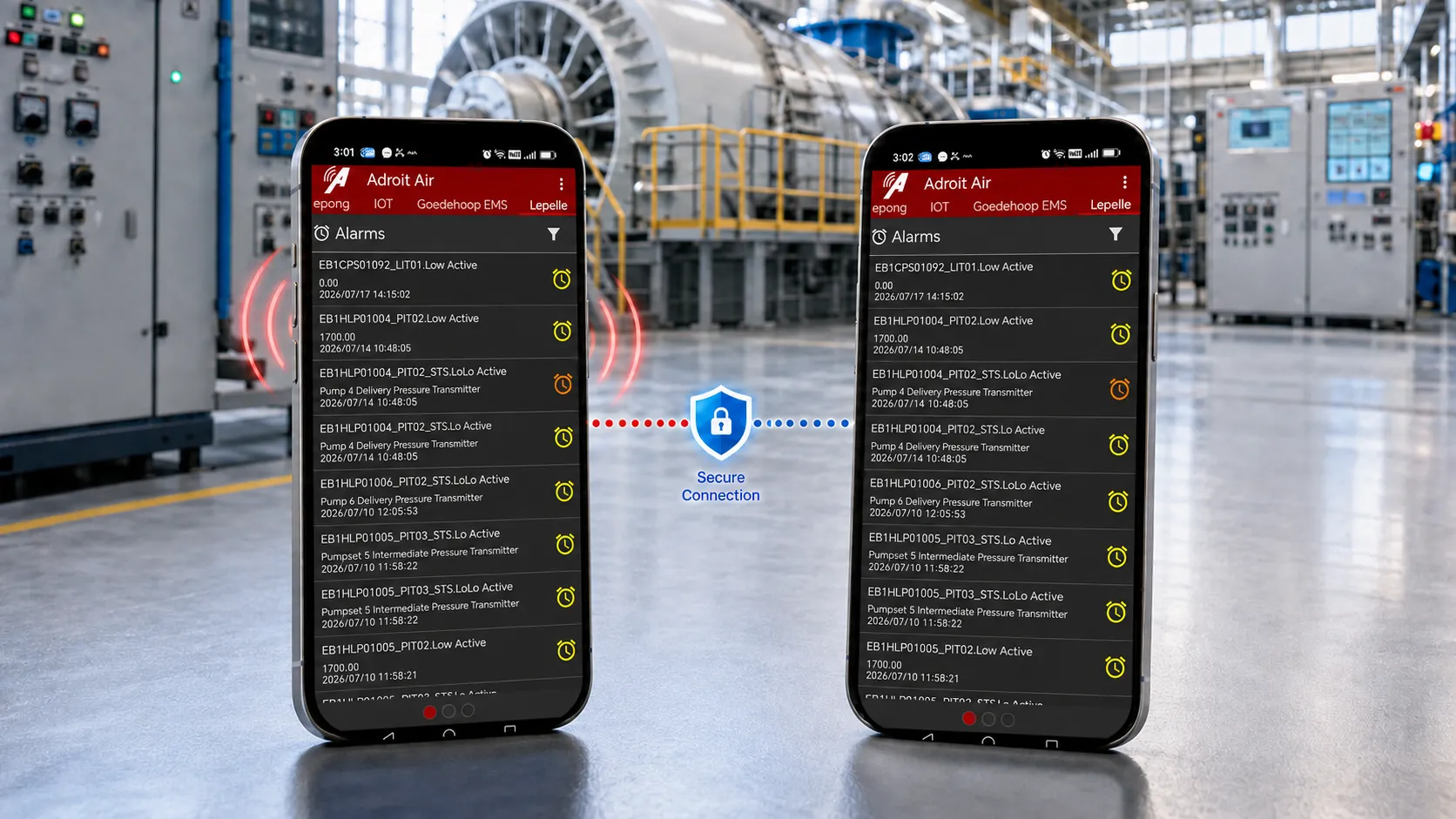
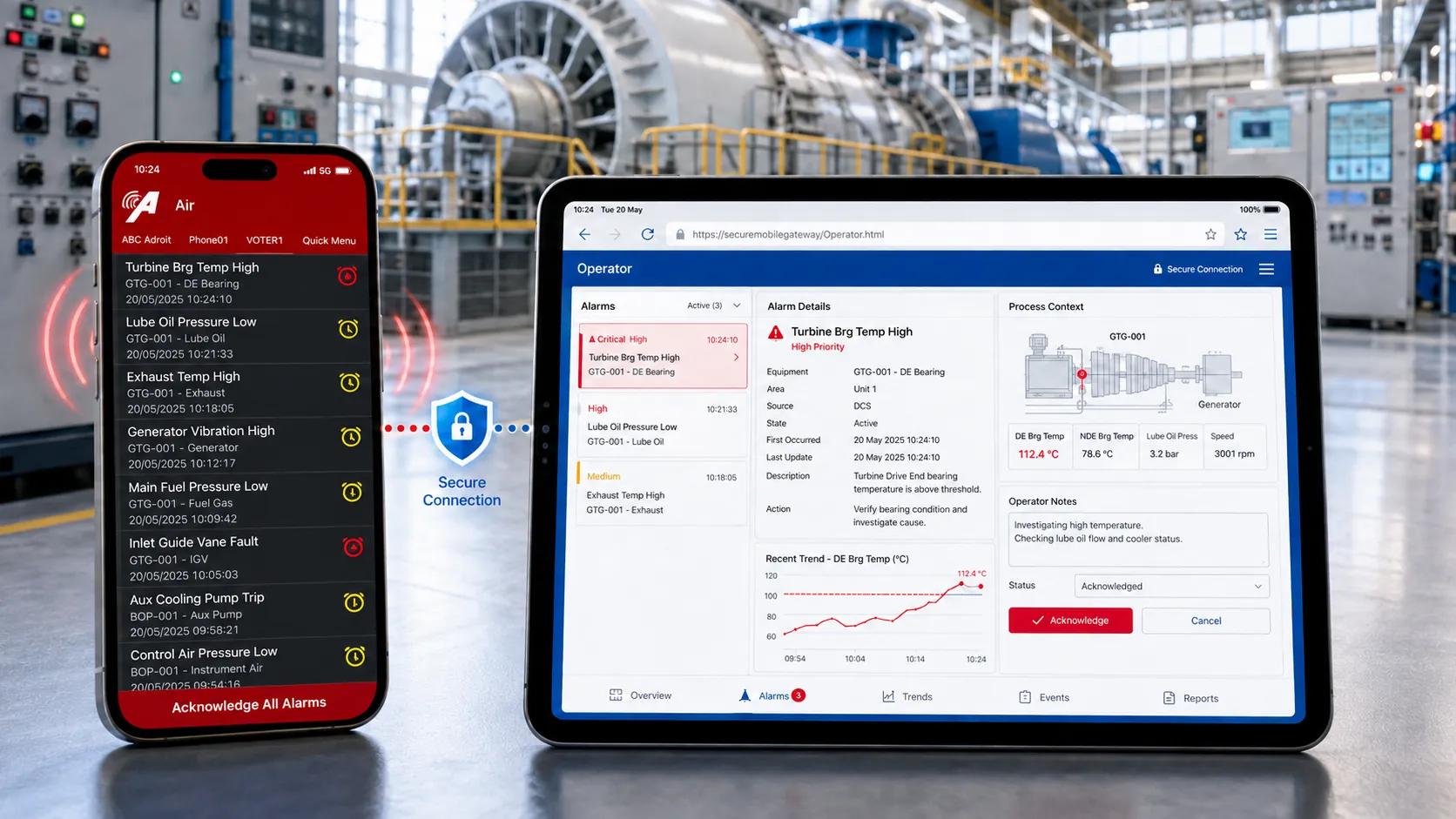
Receive an alarm in Adroit Air, follow the Secure Mobile Gateway link and open the relevant Operator view to investigate or acknowledge the event.
Benefit: Shortens the path from alarm notification to informed action.
Use the SmartUI Web Service API to build a focused HTML5 page for selected operational information and functions.
Benefit: Supports purpose-built browser workflows without exposing the host operating system.

Technology Stack & Data Flow
How Secure Mobile Gateway Works
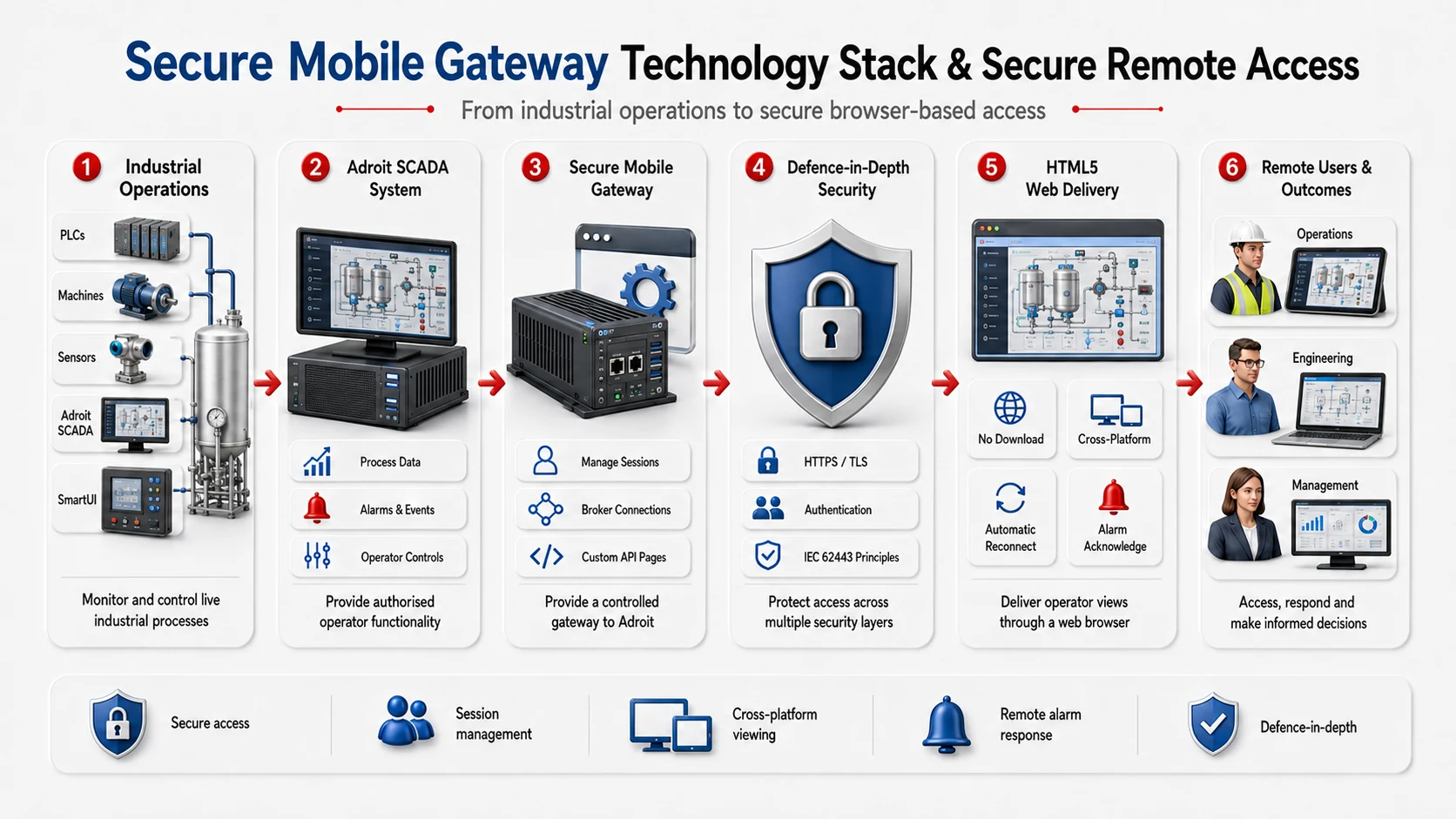
Secure Mobile Gateway turns an existing Adroit Operator into secure browser access without exposing the server desktop or opening inbound firewall ports.
Reuse the Existing Operator
The Secure Gateway Manager reads the local Operator project and connection settings.
Start the Secure Outbound Connection
The site initiates an encrypted connection to the selected hosting environment.
Host the Operator Session
Run the remote Operator through a managed cloud service or customer-managed infrastructure.
Open the Operator in a Browser
Authorised users open the secure URL and sign in to the full Operator or a custom HTML5 view.
A Closer Look at Secure Mobile Gateway
See the key steps from setup to secure remote operation.
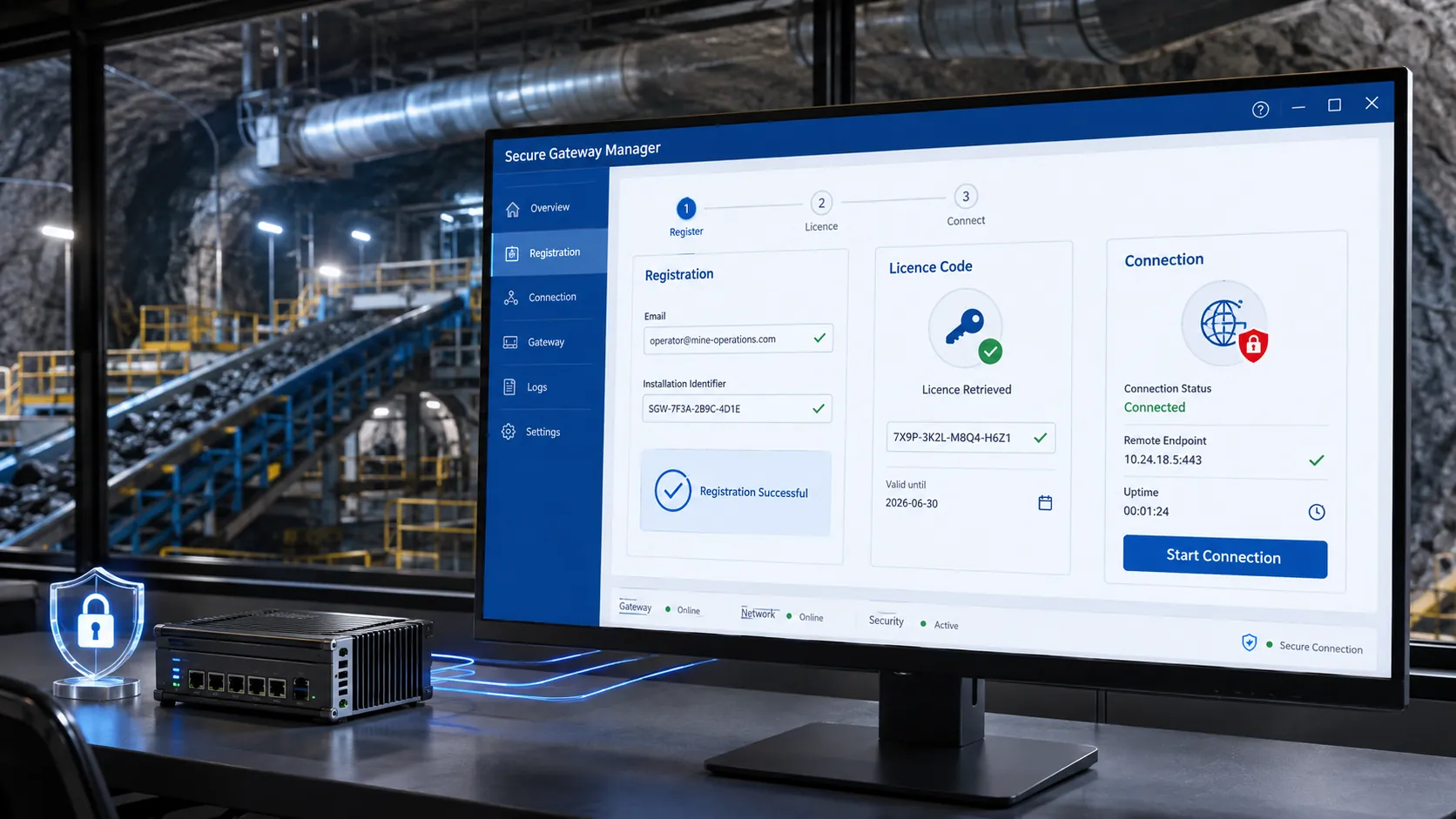
Secure Gateway Manager Registration and Connection
Register the gateway, retrieve the licence code and start the connection.
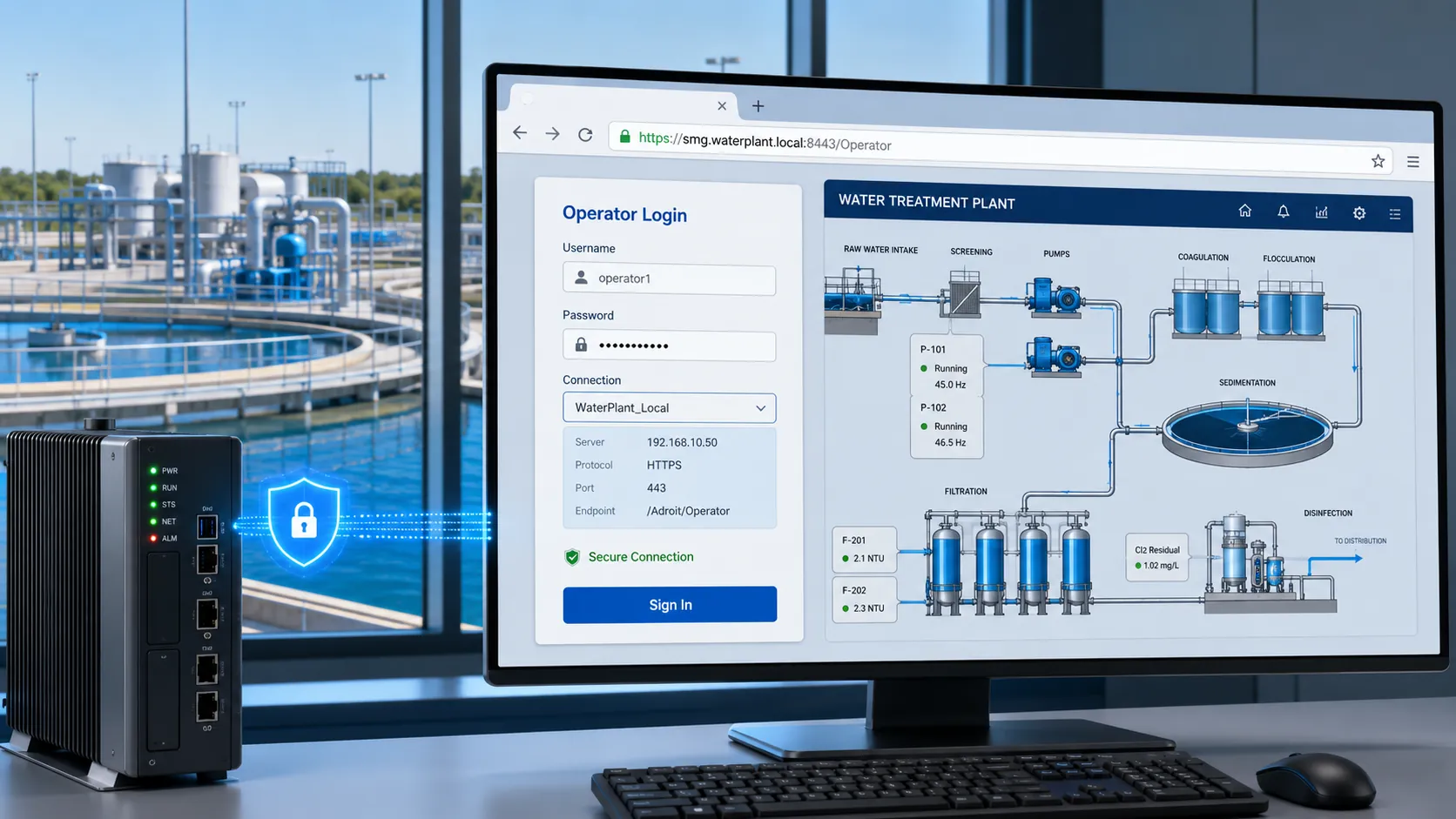
Browser Connection and Operator Login
Open the secure URL and sign in with the existing Adroit Operator credentials.
Adroit Air Alarm Notification and Acknowledgement
Move from an Adroit Air alert to browser-based alarm investigation and acknowledgement.
Cloud On Premise and Custom HTML5 Options
Choose managed cloud, on-premises hosting or a focused custom HTML5 view.

Helpful Resources
Questions often asked.
Secure Mobile Gateway is an additional Adroit Software component that makes existing SmartUI Operator graphics available through a compatible HTML5 browser.
Yes. Authorised users can use the full Operator rather than a limited viewer.
No. The connection starts from inside the site network, so no inbound firewall ports are required.
Secure Mobile Gateway supports compatible HTML5 browsers on Apple, Android, Linux and Windows devices. Confirm current browser support for the planned deployment.
No. Existing graphics can be reused. Simplified mobile screens may improve usability where the original graphics contain small controls or a high level of detail.
Secure Mobile Gateway uses encrypted communication, application-specific access and optional 2FA. It can form part of a wider layered OT security strategy.
The standard setup requires an Adroit Operator environment and suitable internet connectivity. The published guide recommends at least 2 Mbps.
Licensing depends on the selected cloud or on-premise deployment and the number of remote Operator connections. Contact Adroit Technologies for the current configuration and quotation.
Yes. Adroit Air can deliver the alarm notification and link the authorised user to Secure Mobile Gateway for investigation and acknowledgement.
The managed cloud option simplifies hosting and security administration. On-premise hosting gives the organisation more control but requires it to manage the supporting infrastructure and security.
Take Your Operator Further.
Give authorised users secure browser access to the Adroit Operator they already know, without opening a single inbound firewall port.